
Leganto June 2024 Release Notes
July 2024 Sneak Preview
- Bulk actions for sections
- Expand/collapse view of metadata and notes for students
Main Features
Configuration Options for Quick Edit
June 2024 Leganto  Idea Exchange URM-214173
Quick edit can now be customized to show/hide the Hide from students checkbox,Due date and/or Note for Students. The parameter quick_edit_options(Configuration > Leganto > Features > Leganto Features) can be left blank to hide all options, set to all to display all options, or any combination of hide,date,note to display the Hide from students checkbox,Due date and/or Note for Students. Regardless of the parameter configuration, all options remain visible in the Item details tab on the Full display.
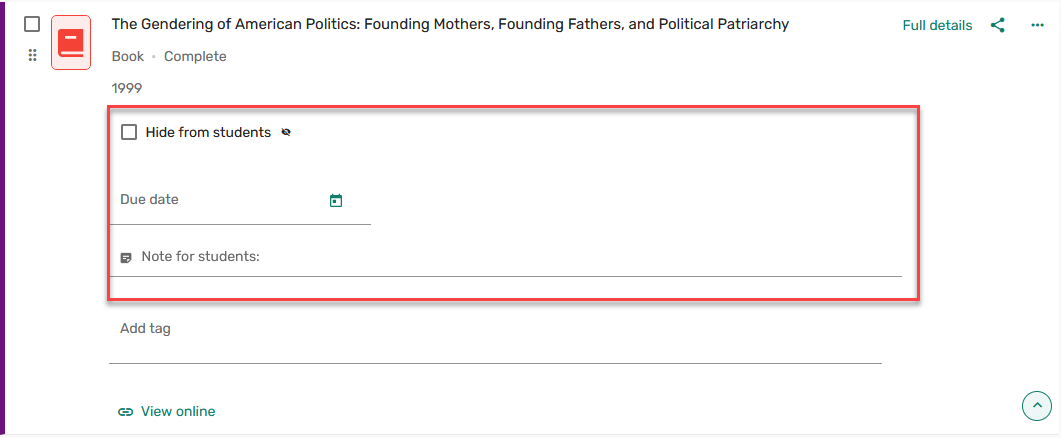
For more information, see Configuring Quick Edit Options.
Support for Additional Processing Workflows + Parameter to Prevent New Items Auto-Send to Library + Publish and Send as Separate Options + Allow Configure RL Status When Adding a New Item
June 2024 Leganto URM-217082 URM-217083 URM-215782
The New UI now includes new parameters to support additional reading list processing workflows. If the current processing workflows are working well for you you probably do not need to make any changes. However, if you are struggling to replicate your classic UI processing workflows in the new UI, one or more of the following new configuration options may help you.
Some libraries report that when instructors are adding items to a list that is already published, they want instructors to finish making changes before sending the list to the library. Administrators can now control the status for items added to a published list. When the parameter auto_send_list_updates(Configuration > Leganto > List Management > Settings) is set to true, which is the default setting, as soon as a list is published, all items added after the list is published are automatically sent to the library, including items added after the list is published, and the items receive the Library Processing status. When auto_send_list_updates is set to false, items added after the list is published receive a Draft status, and the banner indicating that changes to the list have not been sent to the library is displayed at the top of the list.

Additionally, some libraries report that they only review resource lists when the instructor specifically asks the library to do so. Previously, the new UI automatically sent all lists to the library. Now, libraries can provide instructors with the option to send a list for review or publish a list as two separate options. When the parameter instructor_publishing_options(Configuration > Leganto > List Management > Settings) is set to 4 and auto_send_list_updates is set to false, instructors have the option to either send the list for review, publish the list, or simultaneously send the list for review and publish the list.
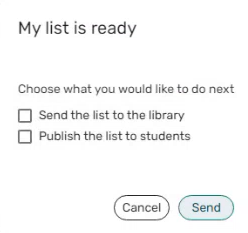
When instructor_publishing_options is set to 4 and auto_send_list_updates is set, the option to send the list for review is displayed even if all the items have been sent.
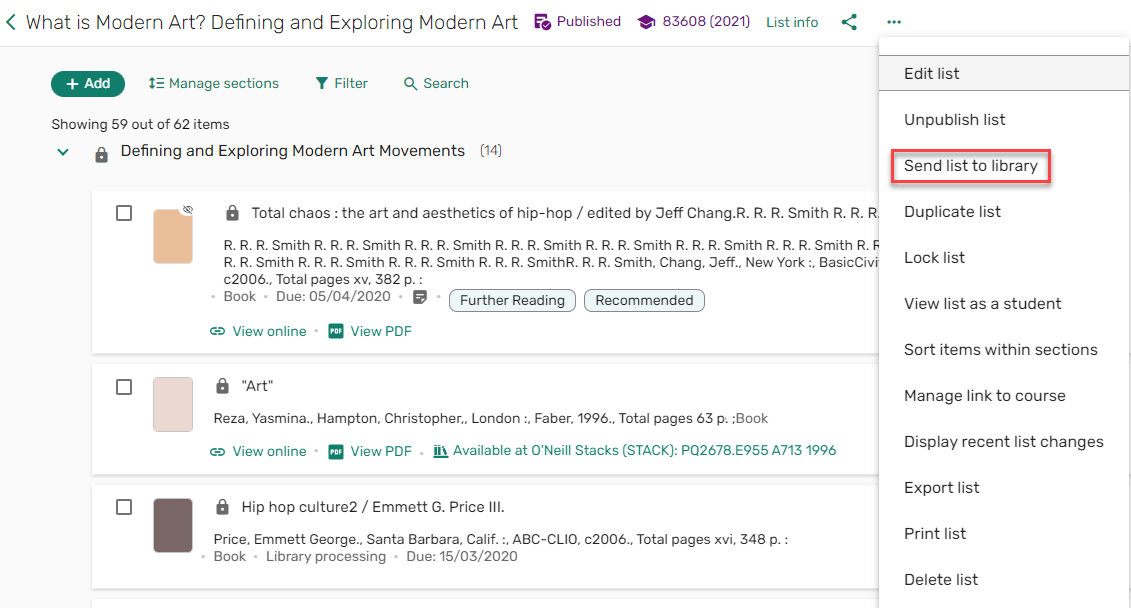
Regardless of the setting in auto_send_list_updates, when send_list is set to Yes, the option to send the list for review appears in the list menu even if all the items have been sent.
Finally, some libraries report that because the list status automatically changes to Ready for Processing when new items are added to a published list, they are struggling to manage workflow queues, especially when using custom reading list statuses to track specific steps in their processing workflows. Now, when new items are added to a list that has already been sent to the library but has a status that is not Complete, the list status can be configured. The value for the list_new_citation_in_sent_list parameter (default Ready For Processing) (Configuration > Leganto > List Management > Course Reserves Automatic Status) is applied to the list when new items are added to the list, the list has already been sent to the library, and the list status is not complete.
This development is in addition to the existing parameter list_new_citation_in_completed_list, which enables the library to set the status for a list which is in the complete status and is then sent to the library.
For more information, see Finalizing a List.
Additional Enhancements
-
June 2024 Leganto URM-218996 Based on customer feedback, users can now configure whether to show/hide the Complete status for items from the brief view. When the parameter complete_citation_status(Configuration > Leganto > Features > Leganto Features) is set (default blank), items with a status of Complete will have their status display in the brief view. The parameter can be configured for both librarians and instructors (all), just librarians (librarian), or just instructors (instructor). When left blank, the status is not displayed.
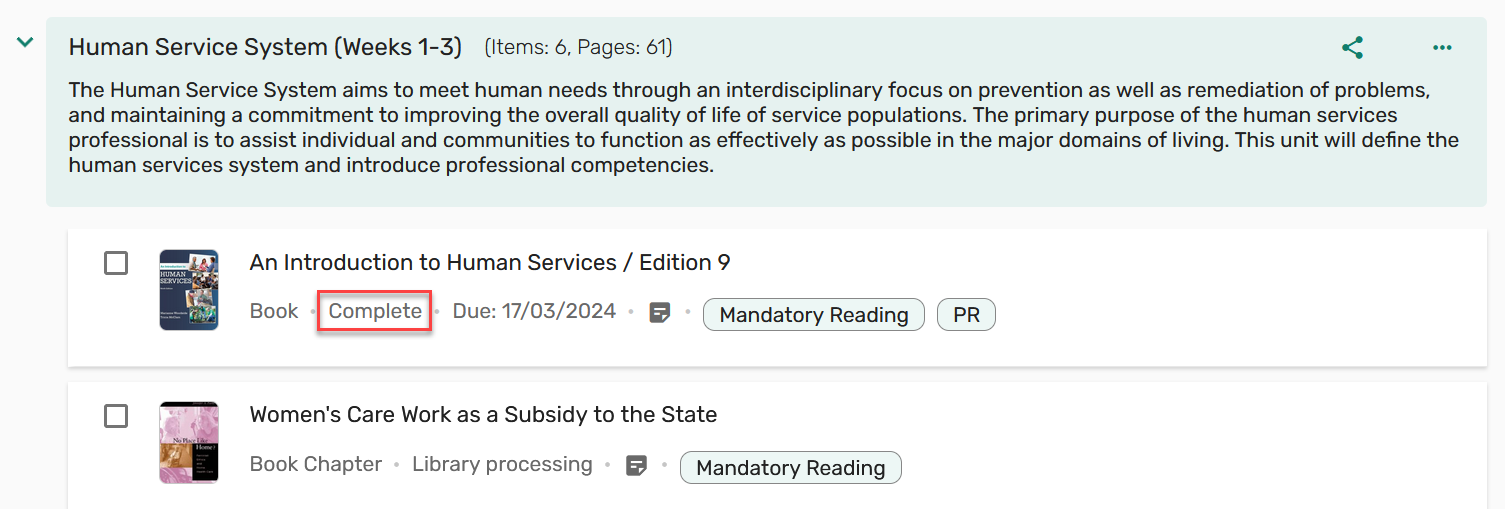
For more information, see Showing Complete Status on Brief View.
-
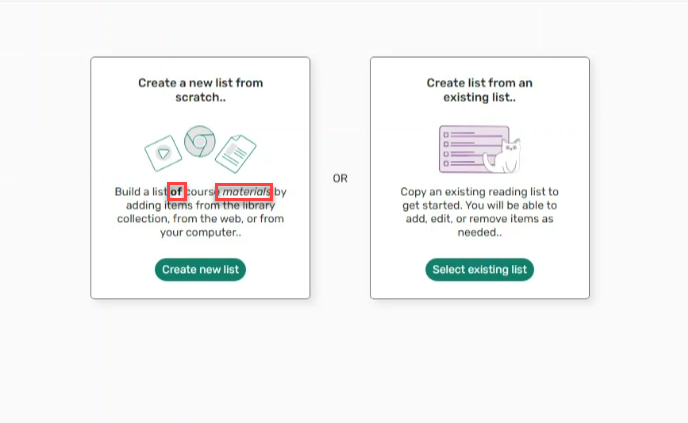
June 2024 Leganto URM-218891 Based on customer feedback, quick start label quickStart_landing_page_create_list_content(Configuration > Leganto > General > Labels - New UI) now supports HTML.
-
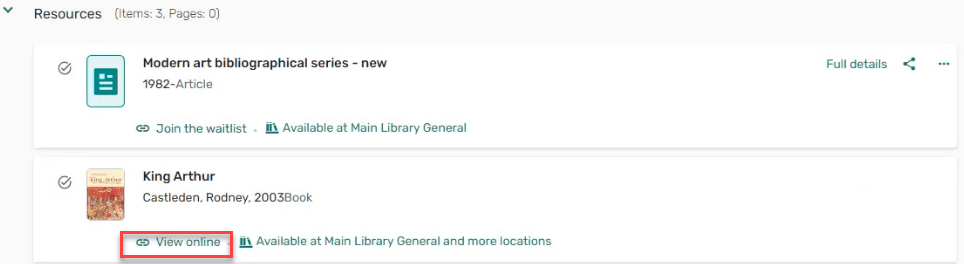
June 2024 Leganto URM-217515 Based on customer feedback, when the parameter force_direct_uresolver(Configuration > Leganto > Features > Leganto Features) is set to false, the More options button is hidden. When selecting View online, the Full display is presented for the item.
For more information, see Configuring Links for Electronic Citations.
-
June 2024 Leganto URM-217116 URM-217111 URM-217123 URM-217135 To better support accessibility, the following improvements were made:
- Keyboard navigation: Previously, some functions could not be performed by keyboard alone. Specifically, users could not access the share section and section menu, access the text of a note for students (list view) or a private note (favorites) on hover, or access the tool tips in the list analytics. All were fixed.
- Focus visible: Previously, the focus indicator was missing on some elements. Specifically, in the manage collaborators screen, the section controls in the tag filters, the scope drop-down in the library search, the item checkboxes (list view and favorites), and the hide checkbox and tags on the manual entry, All were fixed.
- Non-text contrast: Previously, areas in the system lacked 3 to 1 contrast ratio. All were fixed.
- Focus order: Previously, the keyboard focus was lost or misplaced when adding items using the add button--the focus was moved to the item just added. Additionally, when closing the Quick Cite, Add new note, and some settings, the focus was not returned to the trigger. All were fixed.
-
June 2024 Leganto URM-211995 URM-180787 URM-194723 These following features, previously available in the classic UI, are now available in the new UI:
- Bolk copyright. For more information, see Integrating with Bolk.
- Join the waitlist. Note: This feature is only relevant for libraries using Alma Digital. For more information, see Configuring a Patron Waitlist.
- The Cost analysis report when using Copyright Clearance Center licenses is now available in Student Savings tab from the right menu
 . For more information, see Clearing Copyrights Through the Copyright Clearance Center (CCC).
-
June 2024 Leganto URM-218624 The free text description for the parameter display_import_references(Configuration > Leganto > Features > Leganto Features) in Alma has been updated to be more clear.
-
June 2024 Leganto URM-221562 When using collapsed courses in the LMS, when the parameter lti13_use_course_section(Configuration > Leganto > LTI > Settings) is set to true(default false), the course code is taken from the course_section_sourceid.
For more information, see Viewing LTI 1.3 Parameters.
-
June 2024 LegantoURM-210286 For institutions with multiple campuses, the new UI now indicates at which campus a resource is available. Additionally, the campus is appended to the course name.

Additionally, when searching the library, the campus name is displayed.
For more information, see Configuring the Repository Search in Leganto.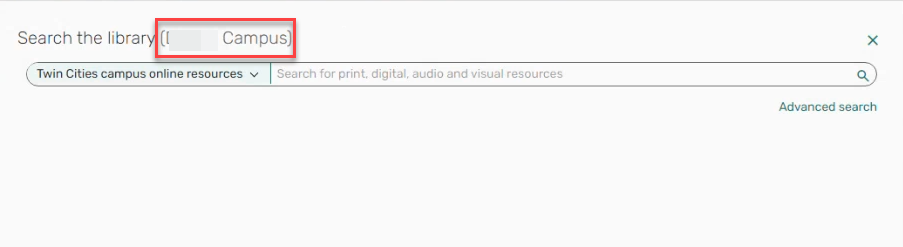
Resolved Issues
| SF number | Description |
|---|---|
| / URM-219235 | Previously, importing a list/items was blocked when file uploads were blocked. Lists/items can now be imported even when file uploads are blocked. |
| 07136212 URM-222488 | Previously, when using Cite It!, the CC drop down list showed No options available until the user started typing. Now the options are visible without having to type. |
| 07122091 URM-221561 | Previously, when beginning the process of adding a manual entry and then cancelling, the URL was retained when it should have been cancelled. This was fixed. |
| 07098343 URM-219004 | In some cases, the Mark as broken link was displayed even when it should not have been. This was fixed. |
| 07097967 URM-218893 | Previously, long course titles blocked the links to open in a new tab, help, settings and notifications on the quick start screen. This was fixed. |
| 07066366 URM-218427 | Previously, the Note for students was not copied when copying the citation. This was fixed. |
| 07075760 URM-218140 | Previously, the LibKey thumbnails for Articles were not displayed in the Search the library results. This was fixed. |
| 07082009 URM-218021 | Previously, when applying the Due date filter, the citations were not filtered as expected. This was fixed. |
| 07051257 URM-218008 | Previously, the basic lists search did not preserve the search by year. This was fixed. |
| 07057628 URM-217640 | With relocate_modified_citation (Configuration > Leganto > General > Settings) set to false, resource locate occurred when copying a citation. This was fixed. |
| 07049870 URM-217478 | Previously, you could not copy a course code by highlighting it. This was fixed. |
| 07034445 URM-215416 | In some cases, the View more options link appeared when it should not have. This was fixed. |
| 06909084 URM-213947 | In some cases, when a section was expanded, new sections below the expanded section were not viewable. This was fixed. |
